
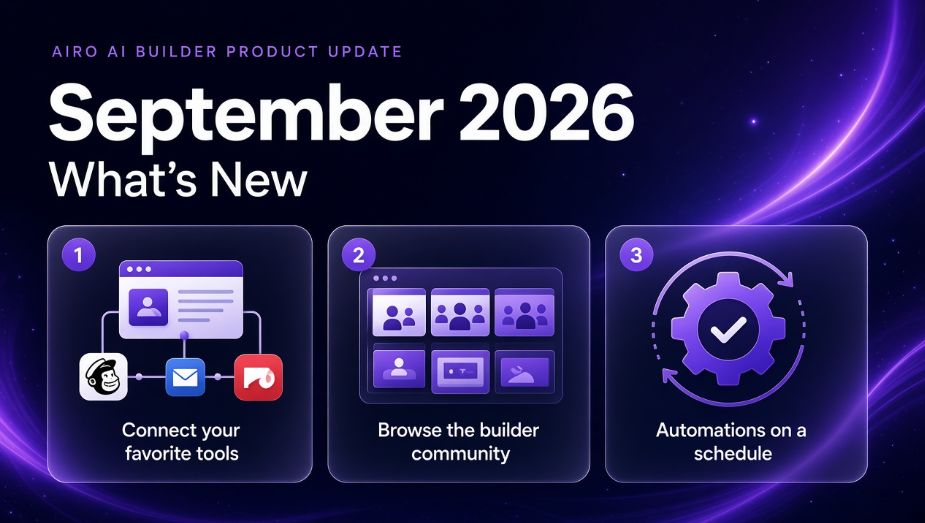
September was about connecting what you already use, running the business behind the site, and making the builder easier to trust day to day.
What is the September 2026 Airo AI Builder update? It is the monthly product update for GoDaddy Airo AI Builder: connectors, a community hub, online store setup, automations, builder clarity improvements, and Airo Expert Services. It is for owners who build in Airo AI Builder and want to connect outside tools, sell online, and see what other builders are launching.
You built something worth sharing. This month adds the paths to do that without juggling six tabs. We also cleaned up backup history and chat focus so the builder is easier to read when you are mid-build.
These updates turn GoDaddy Airo AI Builder from a place you build into a place you run and grow.
Start building with 50 free credits
Tell us what you liked and what you want next on the community page or in Discord.
TL;DR
- Connectors. Link Facebook, Instagram, Google, Notion, Mailchimp, Patreon, and more. Open the Connectors tab in your project or ask in chat to connect or integrate a tool.
- Community hub. Browse what other builders are launching, share your work, and get ideas for your next project.
- Online store setup. Describe your store, connect payments, tax, and shipping, then run orders from the Commerce tab.
- Automations. Create your own repeatable site jobs or start from pre-built options. Run on demand or on a schedule.
- Clearer backups and chat. Easier version history and restore, plus visual cues when it is your turn to reply in chat.
- Airo Expert Services. Expert-built and managed options for customers who want help building or running their presence.
1. Connectors: Your Tools, Closer to Your Build
Your plans may live in Notion. Your audience in Mailchimp. Your community on Facebook or Instagram. Connectors bring those tools into your build so you spend less time copying details between tabs.
When you are in your project, you have two ways in. Open the Connectors tab to browse and connect tools directly, or ask in chat to connect or integrate something (for example, "Connect my Mailchimp account" or "Integrate Stripe").
There are two types of connectors, and the difference is how you connect them:
Auto connectors use a one-click sign-in from the Connectors tab. Airo AI Builder handles the rest. Today that includes Facebook, Instagram, Google, Notion, Mailchimp, and Patreon.
Manual connectors use your own login details. You browse what is available in the connector library, then ask in chat to set up the connection.
The connectors page has the full list, and we are adding to it regularly. If you want a tool that is not there yet, tell us in Discord.
For a full walkthrough, see What Are Connectors in Airo AI Builder?.
2. Community: See What Other Builders Are Launching
Building alone is hard. The new community page is where you browse what other Airo AI Builder customers have published, share your own work, and pick up ideas for layout, copy, and use cases before your next build.
It is a showcase, not a forum and not a product feed. Real sites and apps from real builders, updated as more people go live.
On the community page you can:
- Browse published sites and apps from other builders
- Share your own work when you are ready to show it
- Get ideas for your next project
On Discord, you can go further. Join the server, suggest topics for upcoming community events, and stay close to what we are building next. Want to be featured? Reach out on Discord and we can talk through it.
3. Commerce: Sell Online, Not Just Look Online
August helped you grow what you built. September makes selling a first-class path.
How to set up a store in four steps:
- Describe your store in chat (products, buyers, shipping model)
- Connect payments, tax, and shipping when chat prompts you
- Open the Commerce tab next to Website and Domain for orders, products, payouts, and settings
- Test checkout in preview, then publish when you are ready to take orders
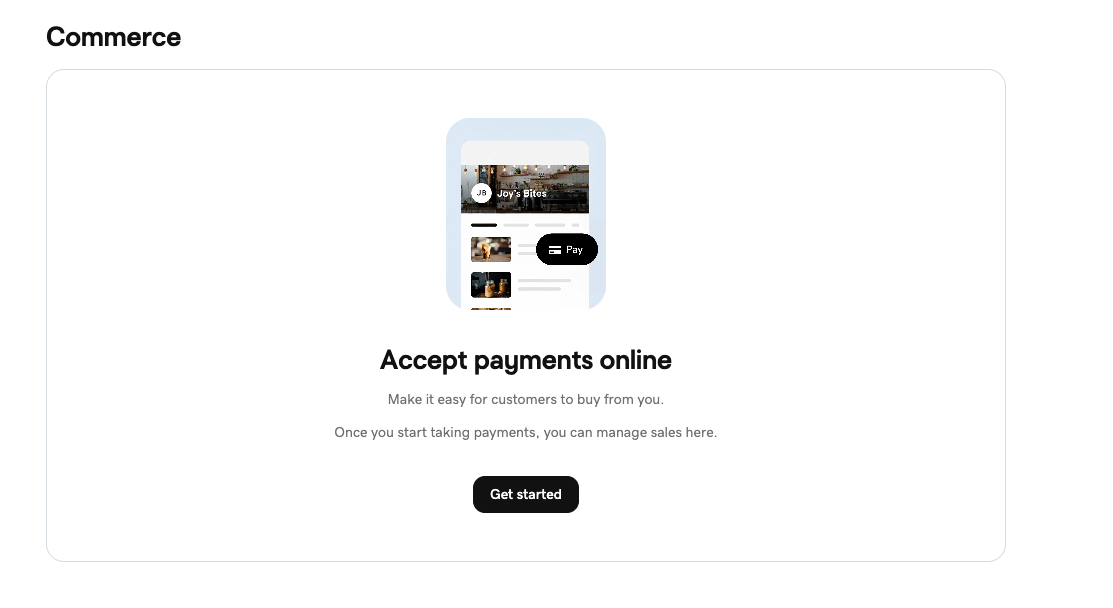
GoDaddy Payments is available for store setup in the US and Canada. In other markets, you can still build and preview; ask in chat about payment options available in your region.
You describe the store in a conversation. You run it from one tab instead of six.
For step-by-step setup, see How to Set Up an Online Store with Airo AI Builder.
4. Automations: Post-Publish Care on a Schedule
Publishing is not the finish line. Automations let you save repeatable site work and run it when you need it, without doing the same task by hand every time.
Create your own automation from the Automations tab in your project or by asking in chat. Describe what you want to run, set a schedule if you want one (daily, weekly, monthly, or one time), and Airo AI Builder handles the rest. You can also view run history for jobs that already completed.
If you want a starting point, there are pre-built automations ready to go:
- SEO review: meta tags, structured data, sitemap checks, and AI search visibility
- Security Scan: flags common website risks (not a full security audit)
- Accessibility review: accessibility standards guidance (not a compliance certification)
Use them as-is or as a template for something more specific to your site.
Automations use AI credits when they run.
Missed the August update? See collaboration, marketing campaigns, and domain upgrades.
For the full guide, see What Are Automations in Airo AI Builder?.
5. Clarity and Trust: Less Guesswork in the Builder
Not everything this month was a new feature. Some were fixes that remove friction you should never have had to work around.
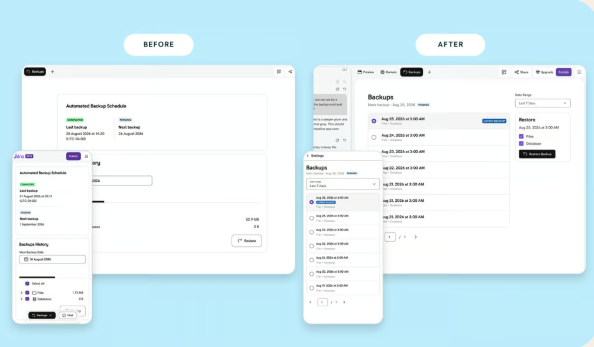
Backup history and restore
Version history is easier to scan so you can find the right backup and restore it without second-guessing.
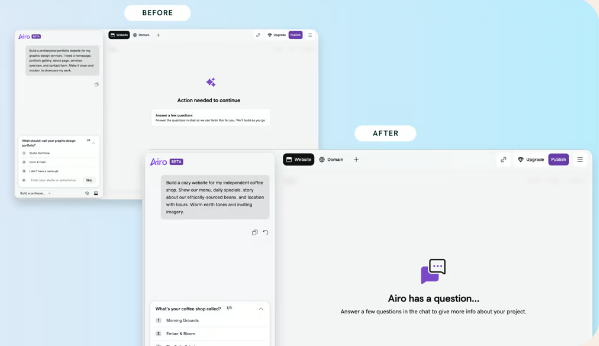
Clearer chat focus
When Airo AI Builder is working or waiting on your reply, the chat panel makes it obvious. Less wondering what to do next.
Security reports you can trust
When a security check finds nothing to fix, you get a clear all-clear instead of leftover "fix issues" messaging on a clean report.
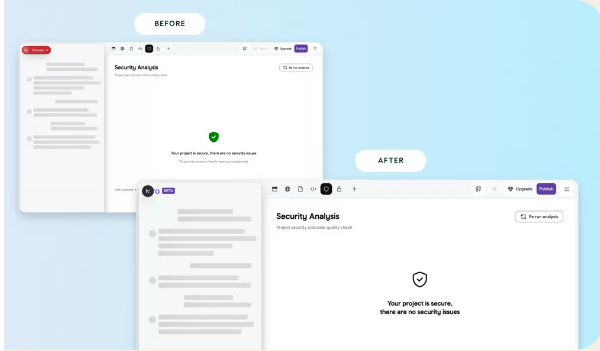
Fewer dead ends. More confidence that what you see on screen is what you get.
Highlight: Airo Expert Services
Airo AI Builder is built for owners who want to describe an idea and build it themselves. Not everyone wants that path.
Airo Expert Services is now available through GoDaddy for customers who prefer an expert to build or manage their online presence:
- Essential Website Design and Premium Website Design: experts build on the platform
- Expert-managed ongoing support: help evolving your presence after launch
Availability is expanding to more places on GoDaddy. DIY when you want speed and control. Expert help when you want the job off your plate.
Celebrate With Us
September connected your tools, your customers, and your fellow builders.
We build this with you. Great ideas still start in the community.
Join us:
- Browse and share builds on the community page
- Browse the full connector list on the connectors page
- Suggest event topics and connect with builders in Discord
Start Building
Connect your tools. Share your work. Sell online. Let automations handle the rest.
Start building with 50 free credits
Join Discord: feedback and feature requests
Frequently Asked Questions
What is new in Airo AI Builder for September 2026?
The September 2026 update adds connectors and a connector library, a community hub, online store setup with a Commerce tab, custom and pre-built automations for SEO, security, and accessibility, clearer backup restore and chat focus, and Airo Expert Services for expert-built and managed options.
How do I connect Mailchimp, Notion, or social tools to Airo AI Builder?
Open the Connectors tab in your project or ask in chat to connect a tool. Auto connectors (Facebook, Instagram, Google, Notion, Mailchimp, Patreon) use a one-click sign-in from the Connectors tab. Manual connectors use your own login details and are set up by asking in chat after you browse the connector library. The connectors page has the full list, updated regularly. See the connectors guide for the full walkthrough.
What is the difference between auto and manual connectors?
Auto connectors sign in with one click from the Connectors tab. Manual connectors use your own login details and connect through chat. The difference is how you connect them, not whether you can use them.
How do I set up an online store in Airo AI Builder?
Describe your store in chat, connect payments, tax, and shipping, open the Commerce tab to manage orders and products, test checkout in preview, then publish. GoDaddy Payments store setup is available in the US and Canada. In other markets, build and preview first, then ask in chat about payment options in your region.
Where do I find the Airo AI Builder community?
Visit airo-builder.godaddy.com/discover/community to browse what others are building and share your work. For event topics, updates, and the chance to be featured, join Discord.
What connectors are available in Airo AI Builder?
Auto connectors include Facebook, Instagram, Google, Notion, Mailchimp, and Patreon. Additional tools are available as manual connectors. Browse the full, regularly updated list on the connectors page.
Can I create my own automations in Airo AI Builder?
Yes. You can create custom automations from the Automations tab or by asking in chat. Set what you want to run and how often. Pre-built options like SEO review, Security Scan, and Accessibility checks are there if you want a starting point.
Do Automations use AI credits?
Yes. Automations use AI credits when they run, whether you built them yourself or started from a pre-built option.
What is Airo Expert Services?
Airo Expert Services offers expert-built website design (Essential and Premium Website Design) and ongoing expert-managed support for customers who prefer not to build everything themselves. Availability is expanding to more places on GoDaddy.