
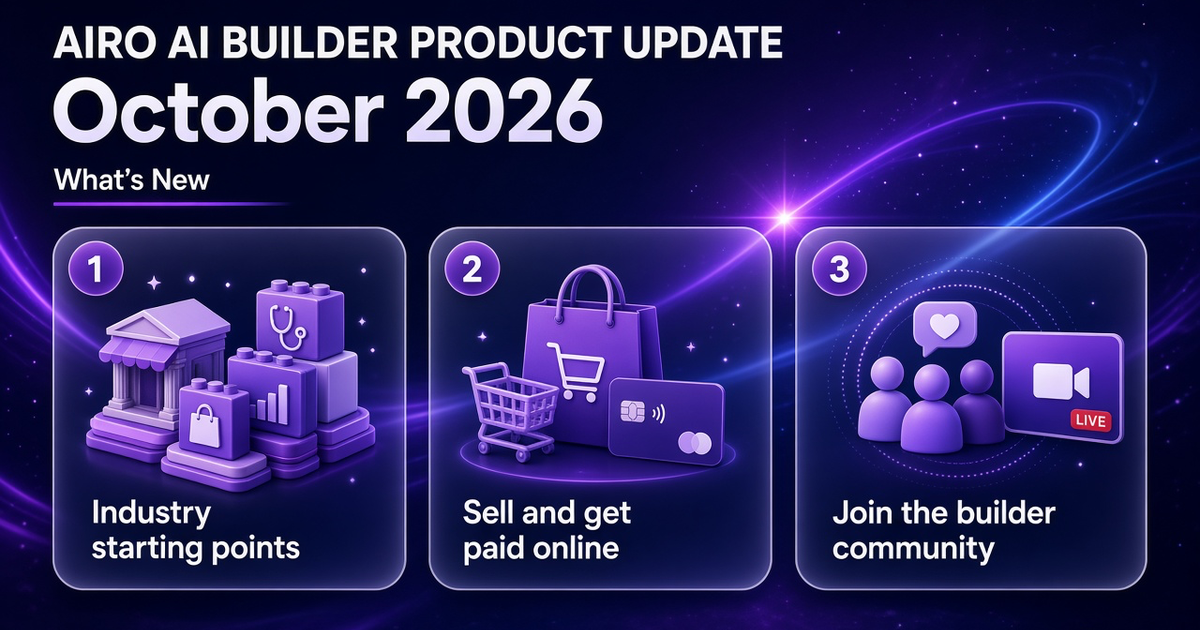
You need a site that fits your business, a way to get paid when you are ready, and a first prompt that is not a blank box. This month is about starting closer to your industry, running a store from the same builder, seeing how other customers went live, and connecting with our community on the community page and Discord: stay up to date on events, join live sessions, and learn how to get featured.
What is the October 2026 GoDaddy Airo AI Builder update? It is the monthly product update for GoDaddy Airo AI Builder: this month check out the solution pages so you can launch a preview of your site that is closer to your industry, store setup including checkout and day-to-day orders, customer stories you can learn from, and check our community page and join Discord for live events, replays, and ways to get your business and site featured.
Start building with 50 free credits
TL;DR
- Industry solutions. Launch with a prompt that already fits your business type. Browse all solution pages, use a starting prompt on your industry page, and adjust it before you start building.
- Setting up an Online Store. Describe what you sell, connect GoDaddy Payments or Stripe in chat when you are ready to get paid, then manage orders, shipping, tax, discounts, and payouts from Commerce tab and Commerce Home.
- Customer stories. See how others went from idea to a live site (same day, search visibility, first site without a dev team).
- Community. Connect with other builders, follow upcoming events, replay sessions on YouTube, read builder stories, suggest topics, or ask how to get featured on the community page and Discord.
- New on our LinkedIn. Two demos by the Airo team: Watch how Airo creates everything you need to start a business with a website, logo, menu and a way for customers to order ahead, all through chat, and how to market and promote your new services from one sentence in Airo.
New here? Browse solutions by industry. Selling online? Jump to commerce setup.
1. Start With Your Industry, Not a Blank Page
Solution pages help you start faster with a first prompt that matches your industry.
How to use them:
- Open the industry solutions page and pick the industry closest to your business.
- See what the business usually needs: features worth highlighting and connectors that fit how you already work.
- Choose a starting prompt on the page and use it to start building, edit the prompt so it sounds like you before you send it.
A few examples:
- Beauty, fitness and wellness
- Restaurants and food and beverage
- Home services
- Real estate
- Consulting and agencies
- Nonprofits
The full list lives on the solutions page. If you do not see your industry there, open GoDaddy Airo AI Builder and start with a prompt you write yourself.

2. Commerce: Sell Online, Then Run the Store
What selling on GoDaddy Airo AI Builder means
You describe your business and what you sell in chat. GoDaddy Airo AI Builder generates your site and can add checkout when you are ready to sell online.
Most small businesses that sell online need the same basics: product catalog, a cart, checkout, shipping, tax, discount codes, a way to track orders, and payouts to your bank.
Airo will guide you to set up a full product store. Connect GoDaddy Payments so customers can pay by card at checkout — product sellers and service businesses can both use GoDaddy Payments. Or connect Stripe if GoDaddy Payments is not supported in your region or country (GoDaddy Payments is currently supported in the US and Canada). Note that ecommerce businesses using Stripe are not able to use Airo's native order management and catalog management at the moment.
You can add products by describing them in chat, or bring in a catalog from a CSV or image and refine from there.
For the full setup walkthrough, see How to Set Up an Online Store with Airo AI Builder.
Where to set up vs where to run the store
- In chat when you are still shaping the store: describe your products, upload relevant images, connect GoDaddy Payments or Stripe, adjust shipping, tax, or discount codes.
- Commerce tab when you want a quick review of sales, payouts, and recent payments, or to open View Settings for shipping, tax, and discounts.
- Commerce Home (from My Products) when you are filling orders, editing products, or checking payouts in detail.
Set up payments
- Describe your store in chat (products, buyers, how you ship).
- Connect GoDaddy Payments or Stripe when chat prompts you.
- Set shipping, tax, and discounts in chat or through View Settings in Commerce tab when you use GoDaddy Payments for your store.
- Test checkout in preview, then publish when you are ready to take orders.
3. Customers Who Went Live
Real estate: same-day launch
Raegan Hill Group had spent hours on a manual build and only finished a fraction of the site. After switching to GoDaddy Airo AI Builder, the owner went from signup to a live site with a custom domain connected the same evening.
"Just got Airo at 4:30 PM. It's 6:06 PM and my website is built, custom domain connected, and live!"

Travel and transfers: built for search
Central West Airport Transfers describes itself as a complete beginner. The operator built two polished sites that perform in search.
"Airo has helped me build two websites… beautiful to look at but also rank incredibly well for Google and AI Search."

Local business: suggestions as you build
The Corporate Smile is a Canadian small business that wanted a site without hiring a full team. The owner describes building with GoDaddy Airo AI Builder as hands-on help, not a black box.
"Like having an assistant sitting beside me offering suggestions and immediately implementing them."

Nonprofit: fast first site
Cultural Exchange Bridge needed a credible site without a technical team. The founder published in roughly fifteen to twenty minutes.
"Unbelievable… I could create a great looking website in 15–20 mins."

Want more examples? See builder stories and session replays on the community page.
If you are interested in getting featured, reach out to our team on Discord or through our social channels, Inside Airo AI Builder on YouTube.
4. Community: Connect, Join Sessions, Get Featured
Looking for a community of builders? Want to connect with others on the same path? Interested in being featured? Or joining live sessions with our team and hearing from builders who already went live? Start on the GoDaddy Airo AI Builder community page, and join Discord.
What you can do there
- Live sessions on the GoDaddy Discord Stage: free events where you watch real builds, ask questions, and connect with other business owners using GoDaddy Airo AI Builder to grow online. Join Discord
- Past sessions: replays on YouTube (for example, customizing your site after the first build, your first hour from zero to a live site, and side-hustle builds).
- Suggest a session topic: tell us what you want to learn or build next. Examples people submit include payments and checkout, booking from scratch, SEO, custom domains, multi-language sites, automations, and live Q&A with the team. You can also type your own idea.
- Builder stories: real sites and apps from other customers, with links to read or watch.
- YouTube tutorial picks: videos chosen to help you move faster in the builder.
Missed connectors, automations, or the September product recap? Read the September 2026 product update.
Start Building
Pick your industry on the industry solutions page, start from a starting prompt, and publish when the site matches your business. Selling online? Connect GoDaddy Payments or Stripe, run a test checkout in preview, then go live when orders and payouts look right.
Start building with 50 free credits
Watch Demos from the Airo team
Two demos from the GoDaddy Airo AI Builder team this month. Each is a few minutes and shows the product on a real business scenario.
Site, menu, and order-ahead in one chat
Restaurants and food businesses often need more than a homepage. In this LinkedIn walkthrough, Chakkaradeep C. builds from chat through pieces that usually sit in different tools: the site, logo, menu, and order-ahead flow. You will also see a branded confirmation email for customers who order ahead and how to turn the published site into a mobile web app.
Market a new service from one sentence
Marketing campaigns are not new to GoDaddy Airo AI Builder (see the August 2026 product update). In this LinkedIn demo, Berea Schaffer uses a painting business adding power washing as the example. She types one sentence about what to promote, aligns on goals in chat, approves a plan, then reviews editable blog, social, and landing page copy, with an optional calendar view for timing.
Frequently Asked Questions
What is new in GoDaddy Airo AI Builder for October 2026?
In October 2026 you get industry solution pages to start a build, commerce with GoDaddy Payments and Stripe, Commerce tab and Commerce Home to run a store, stories from customers who went live, and the community page for live Discord Stage sessions, YouTube replays, and builder stories.
Where do I start if I run a salon, restaurant, or home services business?
Go to Airo AI Builder solutions and open the page for your industry (for example beauty, food and beverage, or home services). See which features and connectors fit that business type, pick a starting prompt on the page, and use it to begin your build in GoDaddy Airo AI Builder. Adjust the prompt so it fits your business. If your industry is not listed, open the builder and start with a prompt you write yourself.
How do I use GoDaddy Airo AI Builder industry solution pages?
Open the industry solutions page and choose the page closest to your business. Review the features and connectors listed there, then pick a starting prompt on the page and use it to start your build in GoDaddy Airo AI Builder. Edit the prompt so it matches your business before you send it. If your industry is not listed, open the builder and write your own first prompt.
How do I set up an online store in Airo AI Builder?
Describe your store in chat, connect GoDaddy Payments or Stripe when prompted (or integrate Stripe from the Connectors tab), set shipping, tax, and discounts in chat or in Commerce tab when you use GoDaddy Payments for your store, test checkout in preview, then publish. Full GoDaddy Payments store setup is available in the US and Canada; ask in chat about other regions. See How to Set Up an Online Store with Airo AI Builder.
What is the Commerce tab vs Commerce Home?
The Commerce tab is inside your Airo AI Builder project. It shows sales activity, payouts, recent payments, and quick links, and you can open settings for shipping, tax, and discounts. Commerce Home is the fuller store dashboard on My Products for orders, products, and payouts. You can open Home from the Commerce tab when you need more detail.
Where is the GoDaddy Airo AI Builder community?
Start at airo-builder.godaddy.com/discover/community. That page lists upcoming and past live sessions, YouTube replays, builder stories, and a form to suggest session topics. Day-to-day chat and event announcements run on Discord.
What happens at Airo AI Builder live sessions?
Sessions run on the GoDaddy Discord Stage. You can watch real builds, ask questions, and learn alongside other builders. Length varies by session (many replays are 45 to 60 minutes). New events are posted on the community page; join Discord from there to attend live.
Can I watch past Airo AI Builder sessions?
Yes. The community page lists past sessions with Watch on YouTube links so you can catch up anytime.
Can I suggest a topic for a future community session?
Yes. Use the Suggest a session topic form on the community page. Pick a suggested idea (payments, booking, SEO, domains, and more) or type your own.