
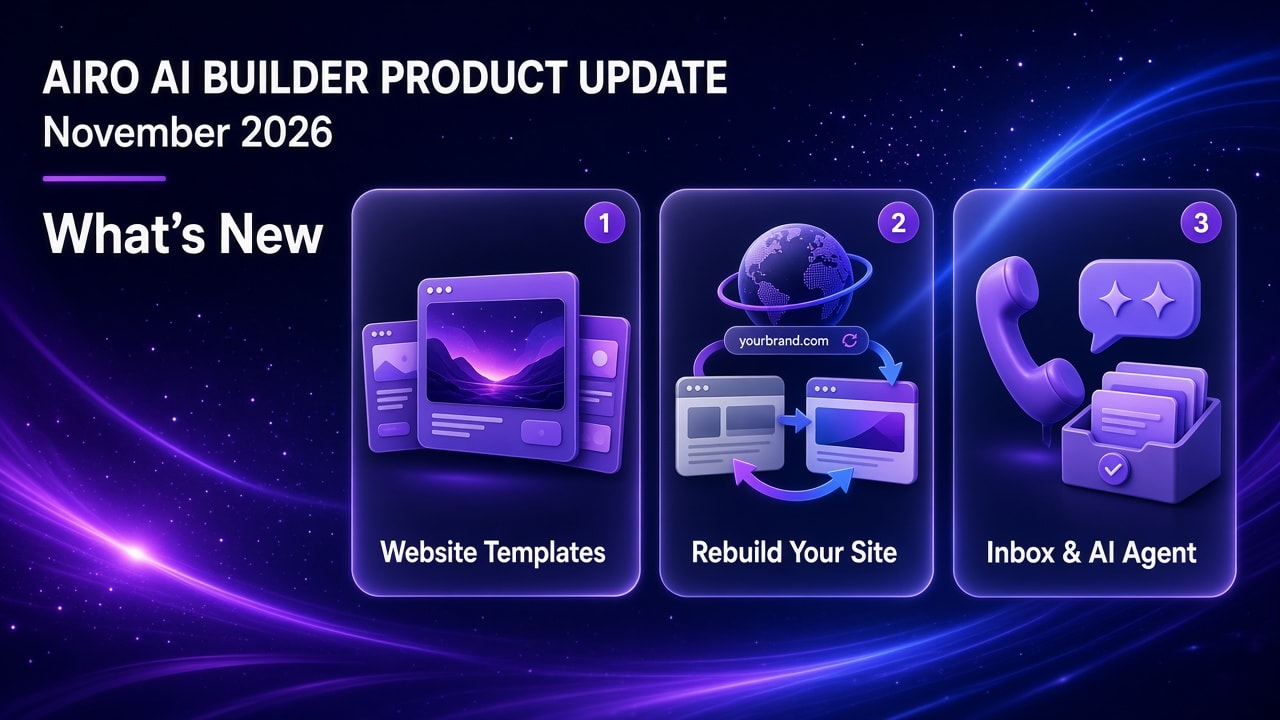
What's the November 2026 update? GoDaddy Airo AI Builder adds Website Templates as a fast starting point so you can save AI credits on your first build, plus discover a path to rebuild your existing site without throwing away what already works. Airo Inbox now makes it easier to add live chat, claim a business phone number, and connect an AI agent that answers on your behalf. Business phone, AI voice, and full telephony are available in the US.
Start building with GoDaddy Airo AI Builder (50 free credits to build and preview.) Missed last month? Catch up on the October 2026 product update.
TL;DR
- Website Templates. Website Templates are fast, free starting points so you can save on AI credits. Save credits and build time with designs, pick one, and make it your own in GoDaddy Airo AI Builder.
- Give your existing site a fresh new look with rebuild. Paste your current site URL or ask to rebuild in chat, preview the new version, refine in Edit mode or chat, then publish when you are ready.
- Airo Inbox. After you publish, add site chat anywhere you publish. In the US, claim a business phone number in the builder, connect an AI agent, and let it answer chat and calls on your behalf using your published site. Messages, chats, and call transcripts land in one Inbox.
Three things you'll learn about in this update...
| If you want to… | Start here | Helpful link |
|---|---|---|
| Start from a designed layout and use fewer credits on the first pass | Open Website Templates, pick a template, then customize in the builder | Website Templates |
| Refresh a site that is already live | Use rebuild from your URL, preview, refine, then publish | Rebuild with GoDaddy Airo AI Builder |
| Give customers a business line and an AI that answers for you (US) | Publish, open Inbox, add chat or claim a business number, then enable the AI agent | Airo AI Builder features |
Website Templates: start from a design, save credits
Website Templates give you fast, free starting points so you can save on AI credits, you get smart designs built for real businesses: pick one, open it in GoDaddy Airo AI Builder, then answer a few questions about your business to personalize it and make it your own. Don't forget to adjust copy, images, and layout in chat or Edit mode until it matches your brand.
How to use them
- Browse Website Templates.
- Choose a layout that fits your business type.
- Start from that template in GoDaddy Airo AI Builder and make it your own.
Examples you can browse now (each has Choose Template and Preview on Website Templates):
- Obsidian — Dark, sharp layout with a confident corporate look; strong typography and hero imagery for logistics and global teams.
- Bravo — Warm restaurant feel; big food photography, menu-friendly sections, and an inviting room tone that supports reservations.
- Haven — Airy, editorial real estate and travel layout; wide imagery and quiet pacing so each listing or trip reads premium.
- Aura — Soft wellness palette, gentle spacing, and calm visuals that fit spas, care, and coaching brands.
- Mercer — Gallery-first interior aesthetic; refined type and image grids for designers and premium service businesses.
- Crestline — Bold, no-nonsense trade look; sturdy blocks and project-style photos that signal reliability for construction and home services.
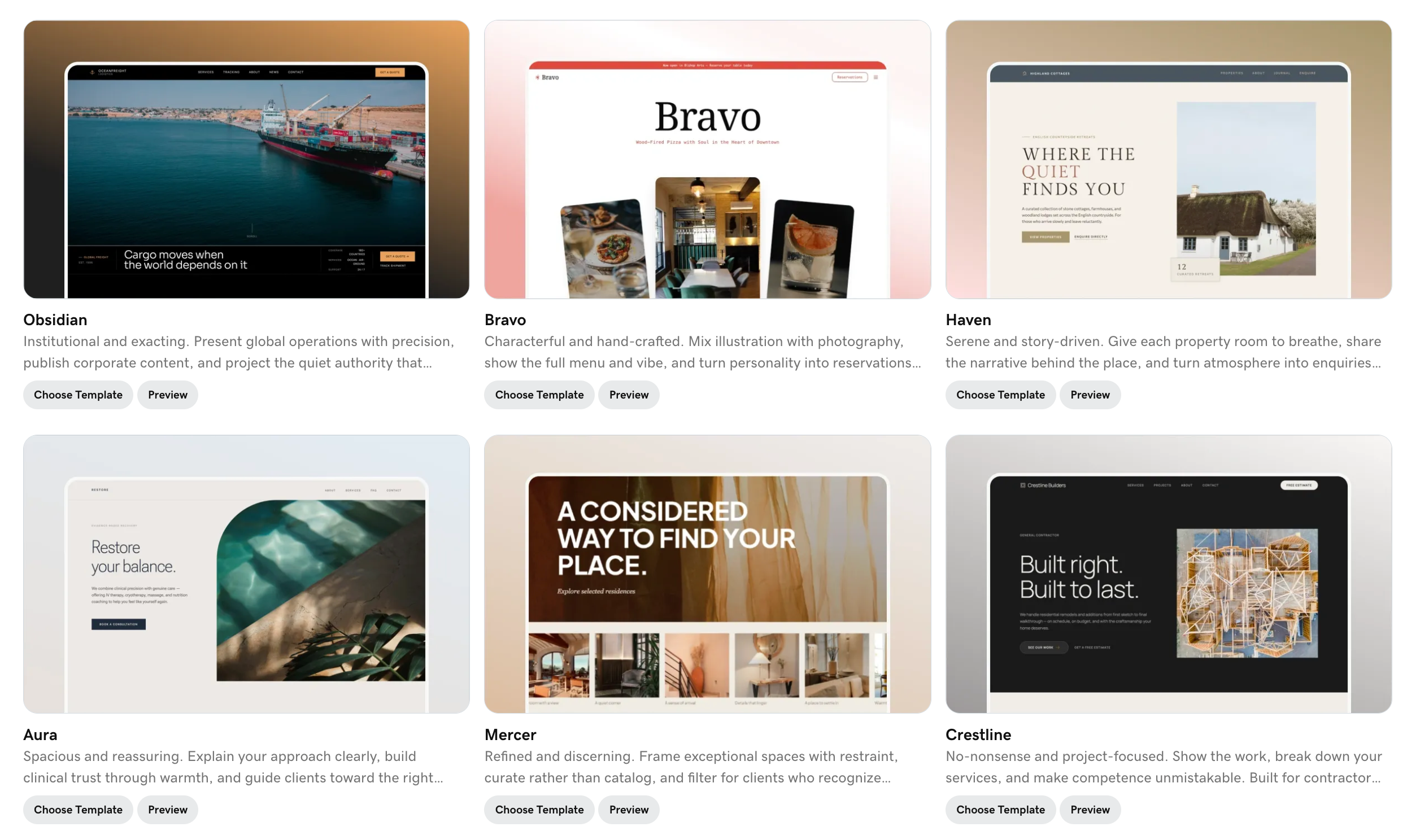
Six templates available now on Website Templates: Obsidian (corporate), Bravo (restaurant), Haven (real estate), Aura (wellness), Mercer (interior design), and Crestline (construction).
Pro tip: Need prompt ideas? The Starter Kit has 19 ready-to-use prompts across four categories. If you already know exactly what you want in one sentence, you can still open GoDaddy Airo AI Builder and describe it in chat. Templates are for when you want a strong visual starting point before you spend credits on broader changes.
Rebuild a site you already own
Already have a live site, or want to start from a site you like as a reference? We built a rebuild flow in GoDaddy Airo AI Builder so you can paste a URL, see a new version in minutes, and shape it in chat or Edit mode instead of describing every page from a blank prompt.
You might use it if…
- Yours is on Wix, Squarespace, WordPress, an older GoDaddy site, or a template that is hard to change, and you want a fresh build without a one-click migration.
- A reference site shows the layout or tone you want, and you want that as inspiration, not a copy-paste clone.
- Your hours, menu, services, or pricing already live online and you do not want to retype them.
- You are rebranding or your mobile site looks dated, but the business story is still right.
Rebuild is not automatic migration. It uses the public site as a guide for a new project. Store catalogs, admin settings, and integrations do not carry over automatically. Preview first, reconnect booking or payments when you are ready, then publish on a paid plan. Once live, use Analytics in Airo AI Builder to track how your rebuilt site is performing.
What you get
- A first version grounded in what is already online, so you spend credits on layout and polish, not re-entering basics.
- A preview before you commit, then refinements in Edit mode or chat until it matches your business.
How to start
- Open Rebuild with GoDaddy Airo AI Builder and paste your current site URL (or start from chat in the builder).
- For a longer walkthrough, read How to rebuild a website without starting from zero.
- For Help Center steps, open Rebuild or redesign my website in Airo AI Builder.
Pro tip: If you are not sure whether to start from a template or rebuild, start from the Discover guide. It walks you through the choice in the same flow as your first prompt.
Airo Inbox: business phone, chat, and an AI agent that answers for you
Airo Inbox is the Inbox tab in GoDaddy Airo AI Builder. After you publish, it is where chat, contact forms, and business calls (in the US) come together. The goal is simple: customers reach your business, and an AI agent can answer on your behalf using what is already on your published site, while you step in when a human touch is needed.
Business phone, AI voice, and full telephony are available in the US.
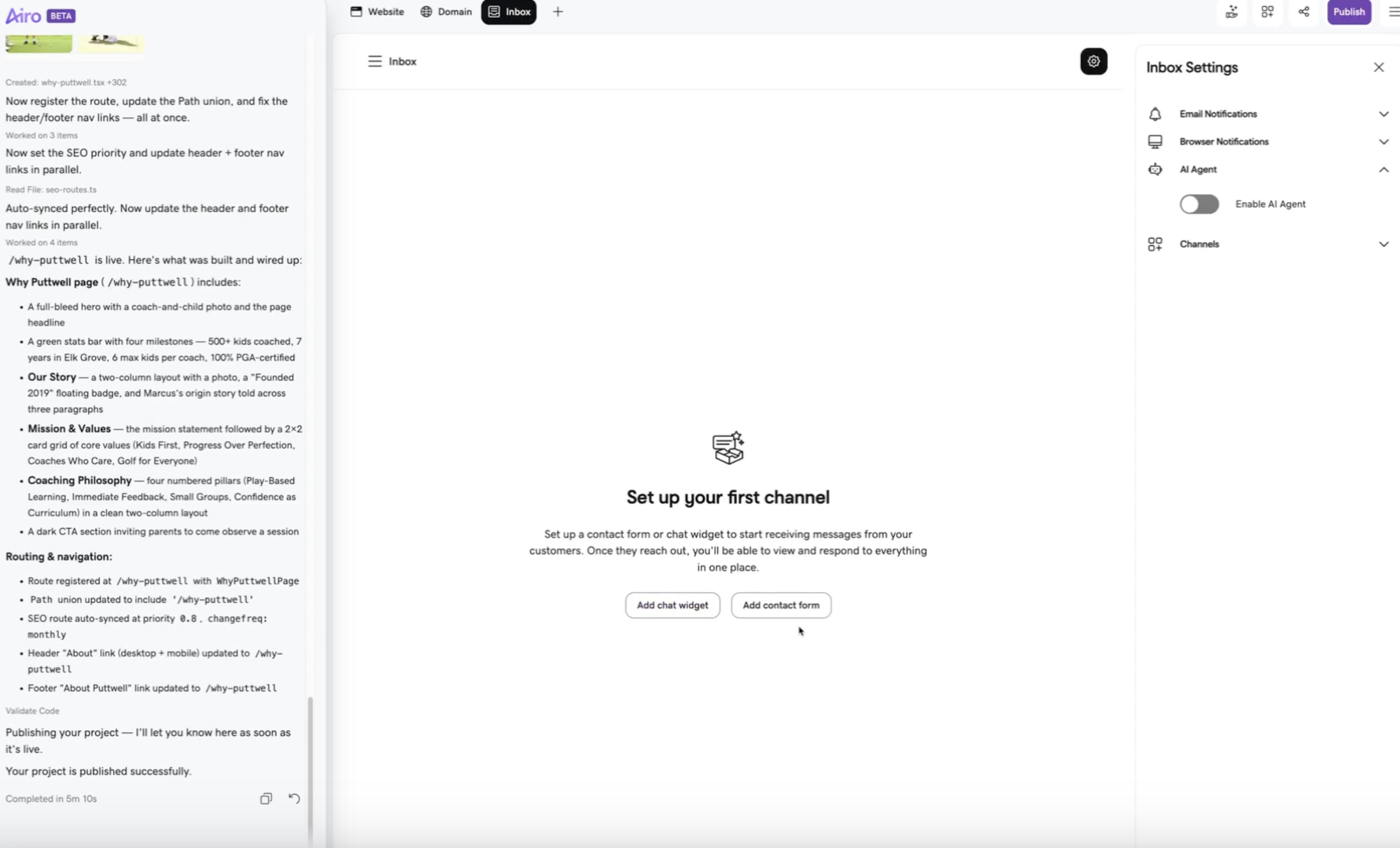
Airo Inbox: set up a chat widget or contact form from the Inbox tab, and manage settings including the AI agent from the gear icon.
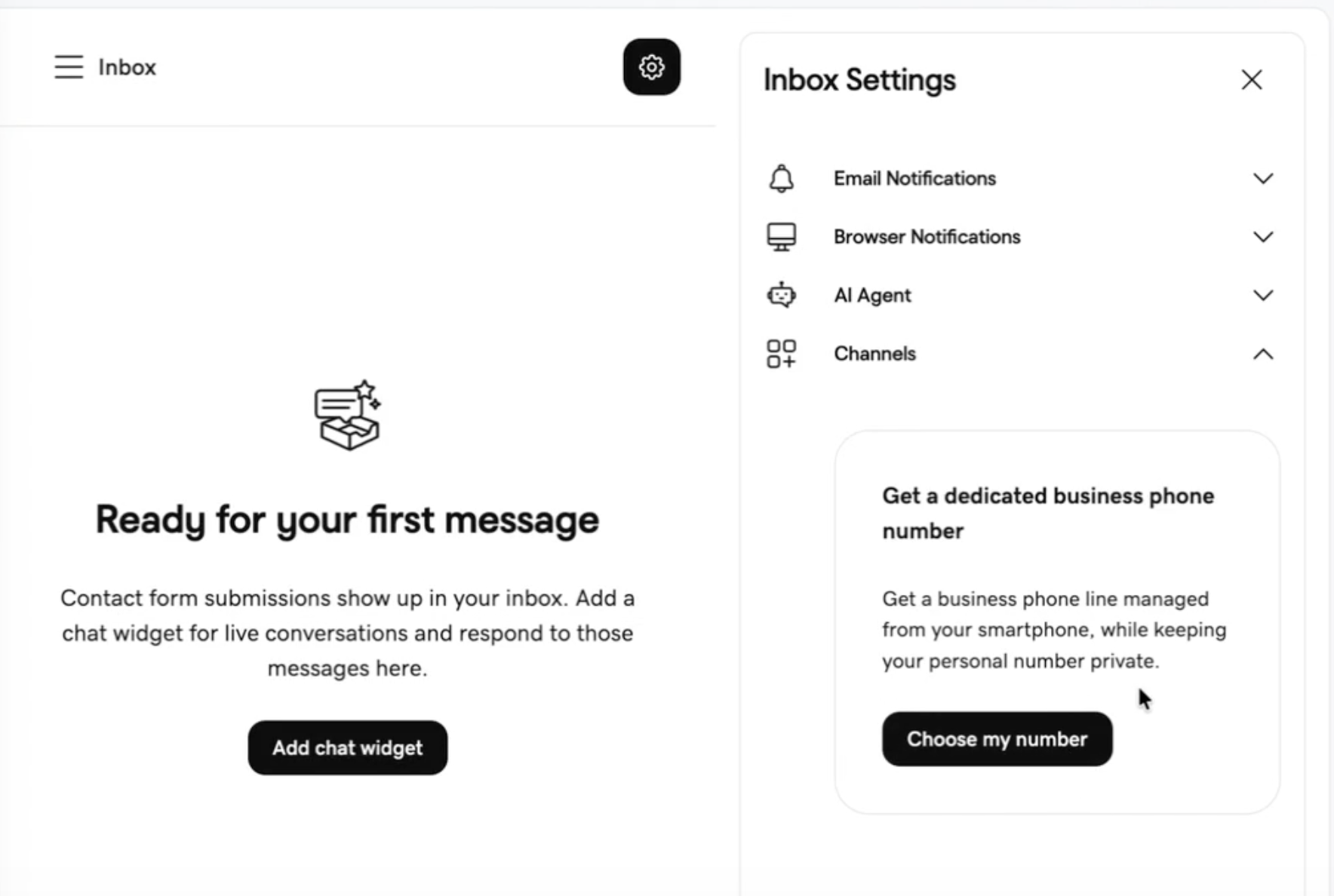
In the US, the Channels section in Inbox Settings lets you claim a dedicated business phone number without leaving the builder.
Claim a business number without leaving the builder
In the US, you do not need a separate phone product hunt after launch.
- Publish a site with clear contact details (location, hours, services). The builder can use that context when it suggests a local number.
- Open the Inbox tab, go to Channels, or ask in builder chat (for example, "Can I get a business phone number?").
- Reserve and claim the number shown. Pick another area code or number if you want a different match.
- Finish checkout in the same flow. Manage calls and texts in the GoDaddy mobile app when your account includes them.
Your personal number stays private. Callers dial the business line you set up in GoDaddy Airo AI Builder.
Once your number is claimed, open Business Phone in Inbox settings to configure it:
- Voicemail: Keep the default greeting or record your own (up to 2 minutes). Preview it before you save.
- Auto attendant: Choose between a touch-tone greeting or the AI voice agent to answer calls.
- Call availability: Take calls any time, or set weekday hours in your US time zone. Calls outside your hours go to voicemail.
- Spam filtering and blocked numbers: Cut down on unwanted calls. Unblock a number at any time.
Calls and voicemails appear in your Inbox conversations with a phone icon, so you can see answered and missed calls and play each voicemail with its transcript.
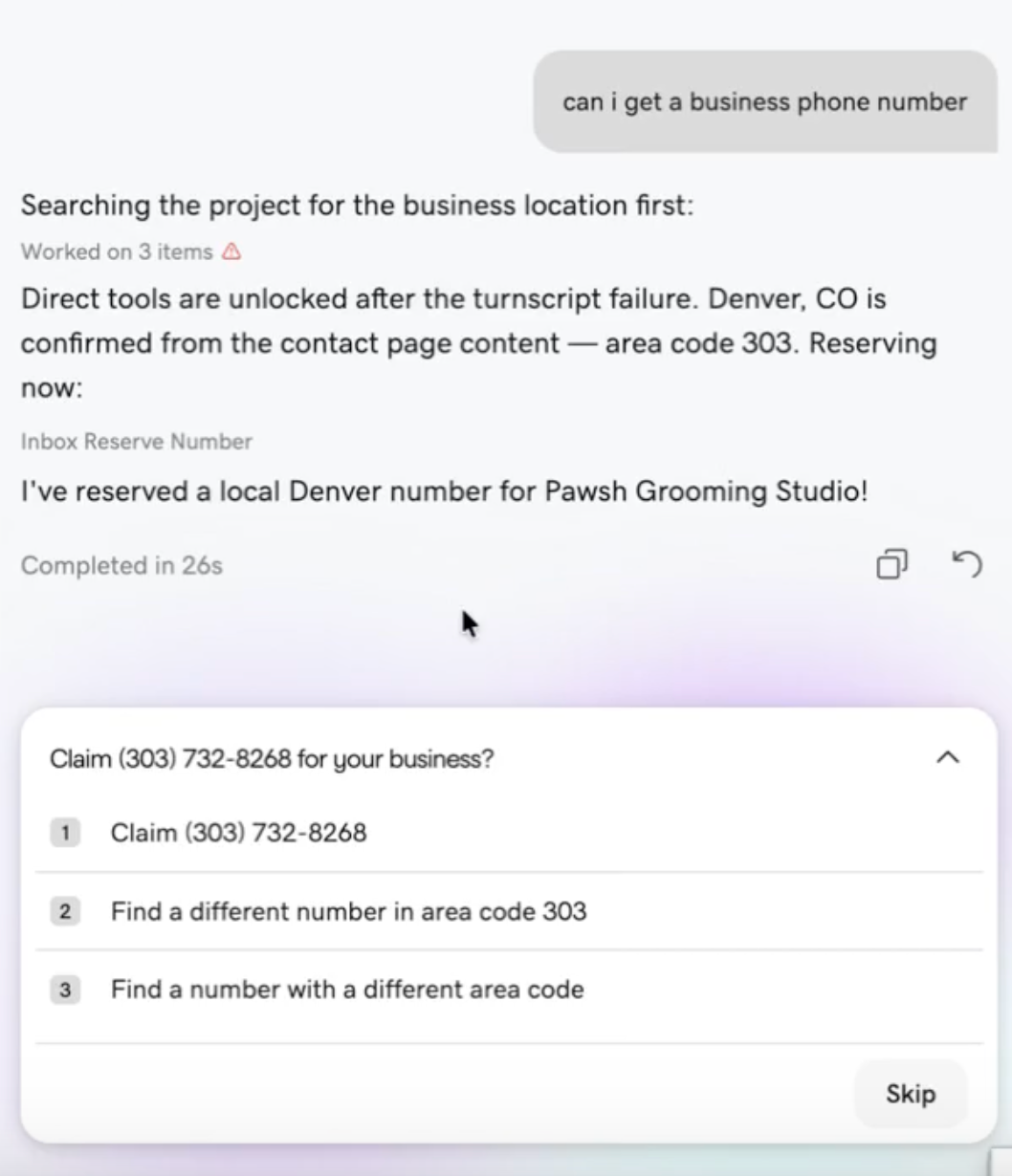
Ask in builder chat — "Can I get a business phone number?
" — and Airo finds a local number based on your published contact details.
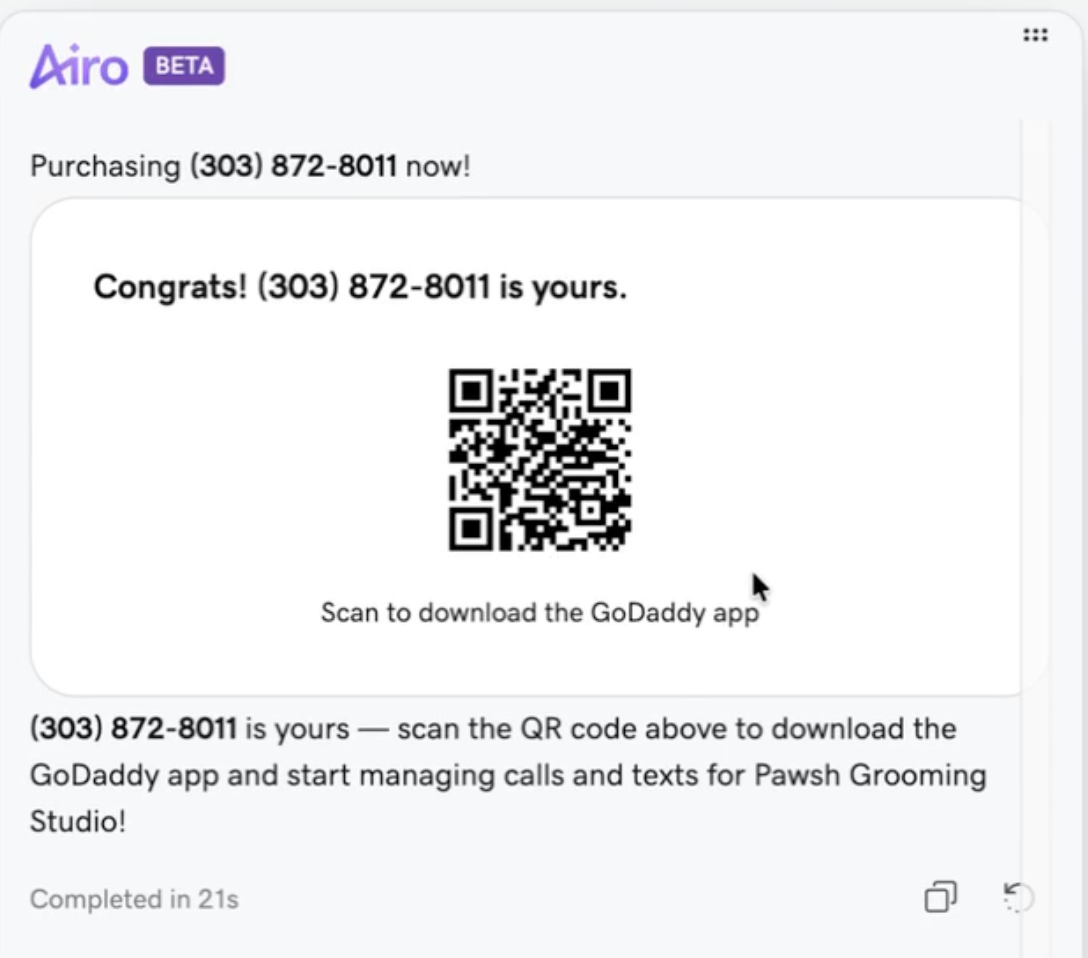
Once you claim the number, a QR code links you to the GoDaddy app where you manage calls and texts.
Connect the AI agent to answer calls and chat
Once chat or phone is in place, turn on the agent so it handles routine questions on your behalf.
For website chat: Add a chat widget from Inbox (or ask for one in chat). When prompted, turn on the AI agent, or open Inbox Settings and switch on Enable AI Agent.
For inbound calls: In your business number settings, choose AI voice agent instead of a touch-tone auto attendant. The voice agent speaks with callers using your published website content (no keypad menu).
Pro tip: Selecting AI voice under Auto attendant automatically turns on the website chat agent too — so you only need to enable it in one place.
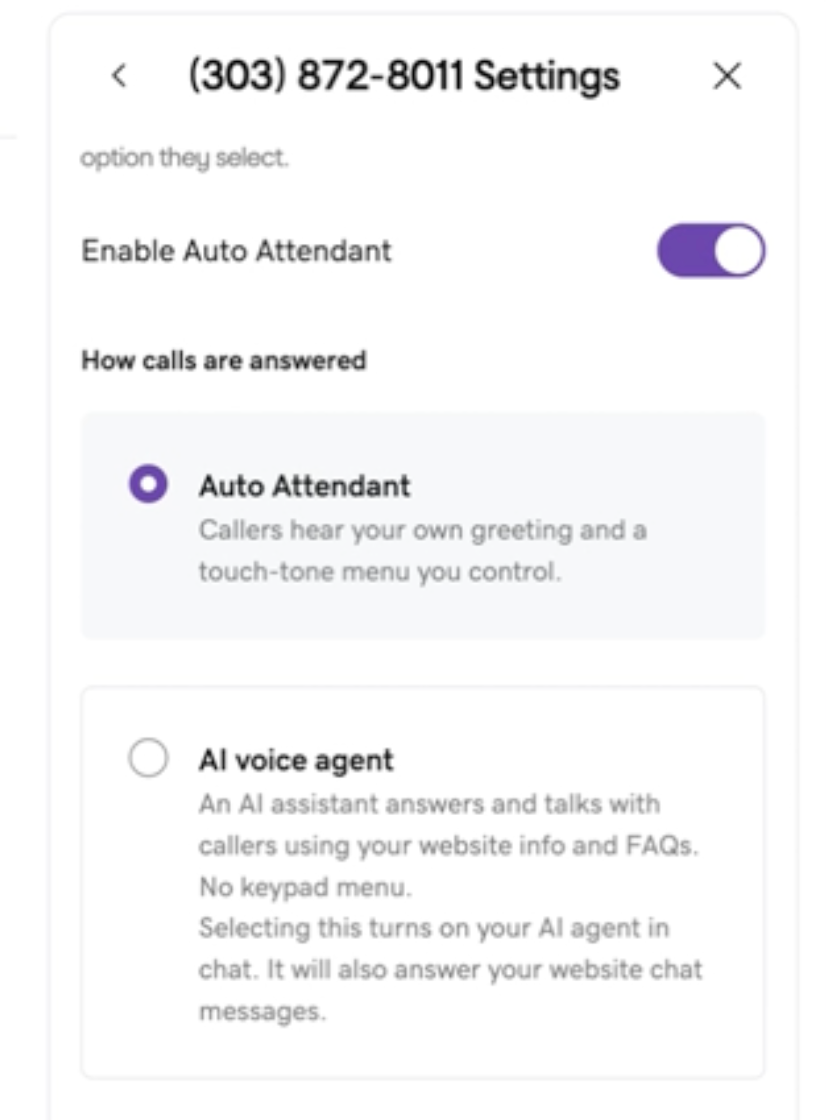
In your business number settings, choose between a touch-tone Auto Attendant or an AI voice agent that speaks naturally with callers.
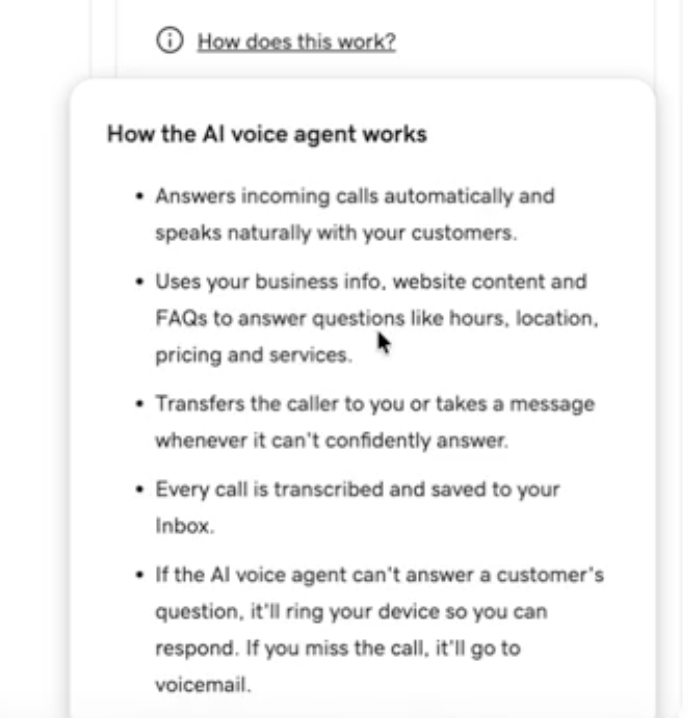
The AI voice agent answers calls using your published site content, transfers when it can't answer confidently, and saves every transcript to Inbox.
3. Accept GoDaddy's AI Terms of Use. You stay responsible for what the agent says to customers.
4. The agent answers common questions about hours, location, pricing, services, programs, and similar topics. If it cannot answer confidently, it can transfer the call to you, take a message, or hand off the chat for you to reply in Inbox.
5. Agent interactions use AI credits. Call transcripts and chat threads can live in Airo Inbox so nothing disappears on your personal phone.
- If the site is already published, publish once more after you enable the agent so it can use your latest pages.
You can still answer visitor questions from live site chat in Airo Inbox yourself anytime. When you change services, pricing, or hours, update the site and publish again so the agent stays accurate.
Contact forms and chat on your site
- Add a contact form, a chat widget, or both from the Inbox tab.
- The chat bubble appears on your published site. Where required by law, it loads after cookie consent.
- You get email notifications on new messages. Reply from Inbox or from email.
Site chat and contact forms are available wherever you can publish. Phone, AI voice, and full telephony are available in the US only.
For a longer walkthrough, see Airo Inbox: website chat and contact forms on Discover.
Take your next step
Pick one path and run it once start to finish. Open Website Templates if you want a designed starting point that saves credits, or Rebuild with GoDaddy Airo AI Builder if you already have a URL. When the site is ready, publish, open Inbox, add chat, or in the US claim a business number, and turn on the AI agent so it can answer on your behalf.
Start building with GoDaddy Airo AI Builder. You get 50 free credits to build and preview.
Rebuild with GoDaddy Airo AI Builder
Frequently asked questions
What is GoDaddy Airo AI Builder?
GoDaddy Airo AI Builder is where you describe what you want in your own words and build a website, app, or online store in one conversation. You get 50 free credits to build and preview (no credit card required). When you are ready to go live, you choose a paid plan to publish. Explore GoDaddy Airo AI Builder.
What is new in GoDaddy Airo AI Builder for November 2026?
November highlights Website Templates as a fast, free way to start so you can save AI credits and build time, plus the rebuild path for existing sites and Airo Inbox for live site chat, with business phone, AI voice, and telephony in the US.
What are Website Templates and how do they save AI credits?
Website Templates are predesigned layouts on godaddy.com/en/website-templates. You pick one, open it in GoDaddy Airo AI Builder, and customize from there so you spend fewer credits up front than building every section from a single long prompt.
Can I still use industry solution pages?
Yes. Industry solution pages still offer sample first messages and ideas by business type. Use them on their own, or pair a Website Template with copy ideas from your industry page.
How do I rebuild my website in Airo AI Builder?
Start at Rebuild with GoDaddy Airo AI Builder (or paste your URL in chat). You preview the new version, refine in Edit mode or chat, then publish when you are satisfied. The Discover rebuild guide has step-by-step detail if you want it.
What is Airo Inbox?
Airo Inbox is the Inbox tab in the builder where chat, contact forms, and business calls (in the US) land in one place. You answer visitor questions from live site chat in Airo Inbox, or use an AI agent that answers on your behalf from your published content.
Can I buy a business phone number in GoDaddy Airo AI Builder?
In the US, you can claim a business number from the Inbox tab or by asking in builder chat, then finish purchase in the same project. Pair it with an AI voice agent so inbound calls are answered using your published site content, with transcripts in Inbox. Phone, AI voice, and full telephony are available in the US.
How do I turn on the AI agent for calls and chat?
Add chat or a business number, then enable AI Agent in Inbox Settings or choose AI voice agent for your business line. Accept GoDaddy's AI Terms of Use, then publish again if the site was already live. Agent replies use AI credits. You can reply or take over in Inbox when needed.
Does the chat agent read my whole website?
It works from your published content. Update pages and publish when you change prices, services, or hours so replies stay accurate.
Where do phone or voice features show up?
Business phone, AI voice, and full telephony are available in the US. Site chat and contact forms work wherever you can publish with Airo Inbox.