
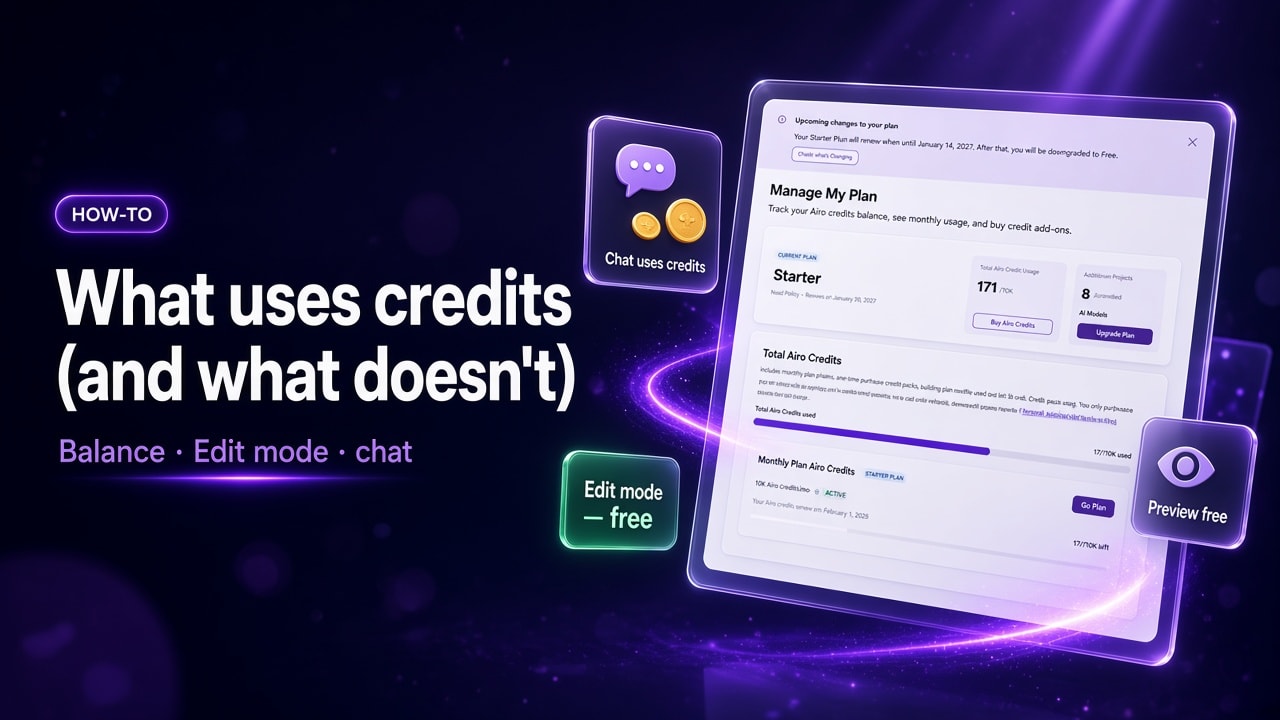
AI credits are what you spend when you send a message in chat in GoDaddy Airo AI Builder to create or change your site or app. By the end of this guide, you will know which actions use credits, which do not, where to see your balance, and habits that help you use fewer credits while you build.
Start building with 50 free credits. No credit card required.
What are AI credits in Airo AI Builder?
Think of credits as fuel for building in chat. When you describe a new page, add online booking, or ask for a layout change in chat, each message can use credits.
Credits are not a fee for hosting, previewing, or publishing. They are used to pay for AI-assisted building and revisions in chat. Direct edits you make yourself don't use credits (more on that below).
If you are comparing tools, remember that some products charge a flat subscription for open-ended chat. GoDaddy Airo AI Builder uses credits for messages in chat plus free preview, and Edit mode for many everyday fixes. For a side-by-side on subscriptions vs credits, see ChatGPT prompts vs Airo AI Builder credits.
Where to see your credits (and how chat uses them)
Your total balance, monthly allowance, add-on packs, and reset dates are on Manage My Plan. Bookmark it if you build often.
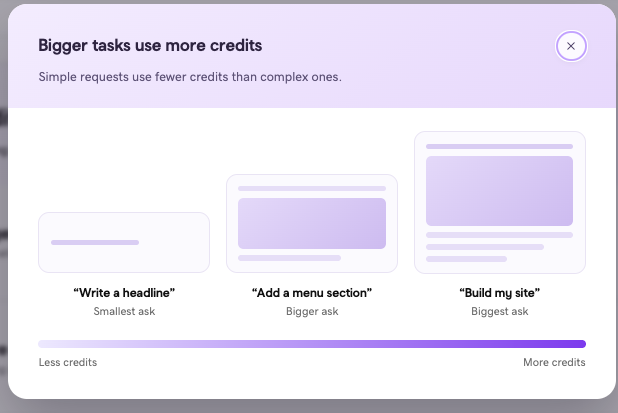
Bigger tasks use more credits. Simple requests in chat use fewer credits than complex ones. A headline tweak is a smaller ask than a full new page or a store setup.
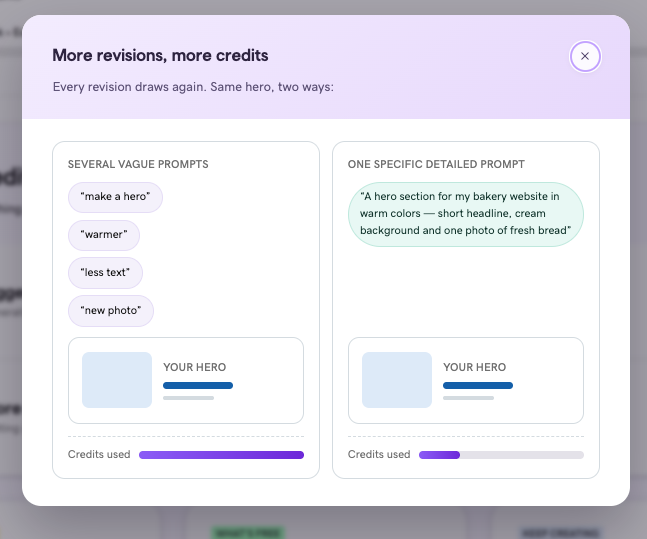
More revisions, more credits. Each follow-up message in chat can draw again, so one detailed prompt often goes further than several vague ones.
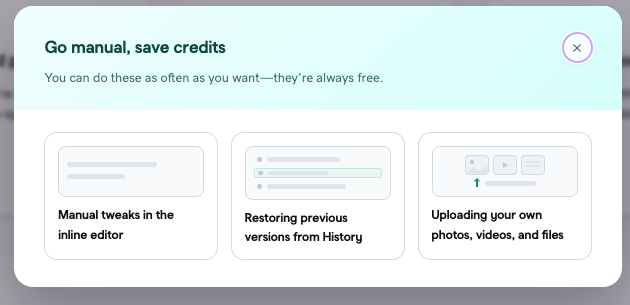
Go manual, save credits. Manual tweaks in the inline editor, restoring a previous version from History, and uploading your own photos, videos, and files do not use credits. You can do those as often as you want.
Write detailed prompts. GoDaddy Airo AI Builder does its best work when your message includes what you are building, the look and feel, and at least one concrete detail. That helps you get closer on the first reply and saves credits you might have spent on fix-up messages.
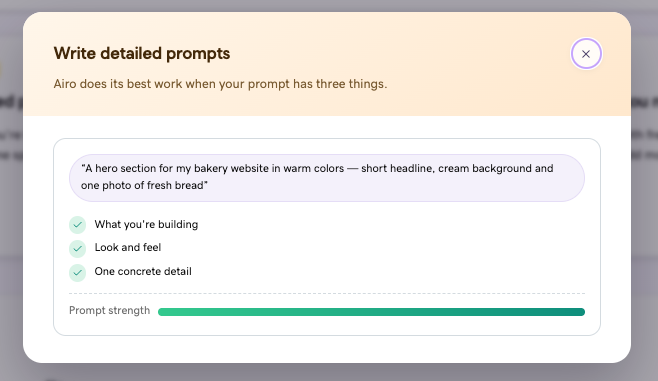
The sections below let you know what is free, what uses credits, and habits that stretch your balance.
What uses credits (and what does not)?
| Action | Uses credits? |
|---|---|
| Messages in chat (build, add features, structural changes) | Yes |
| Edit mode (direct text and image changes on the page) | No |
| Previewing a build you already generated | No |
| Publishing your site and domain setup | No (You need a paid plan to publish your site and connect it to a domain) |
| Automations (scheduled or repeat jobs on a published site) | Yes (each run uses credits; jobs pause if you run out) |
| Certain technical errors caught during the build | No |
GoDaddy Airo AI Builder catches certain technical errors during the build, so you don't pay for them.
Simple rule: Credits pay for messages in chat and Automations when they run. They do not pay for click-and-type edits, preview, or go-live.
Where do your credits come from?
| Source | What you get | Notes |
|---|---|---|
| Free plan | 50 free credits per month | Build and preview; paid plan required to publish on a custom domain |
| Starter (paid) | 150 credits per month at $9.99/mo (Annual plan pricing as of November 2026) | Allowance resets each billing cycle |
| Professional | 300 credits per month at $24.99/mo | Recommended for heavier builds such as an online store, adding payments or bookings because they often need more messages in chat |
| Ultimate | 750 credits per month at $99.99/mo | For multiple sites or large builds |
Monthly plan credits do not roll over.
AI credit packs you can buy (add-ons)
Separate from your monthly plan allowance. AI credit packs let you keep building when you need more chat messages without changing your paid plan. Packs are valid one year from purchase. You can buy them from Manage My Plan or when GoDaddy Airo AI Builder prompts you to add credits.
| Pack size (AI credits) | Price (USD, in checkout, November 2026) |
|---|---|
| 250 | $24.99 |
| 500 | $44.99 |
| 750 | $59.99 |
| 1,000 | $74.99 |
If you need more than 1,000 credits, use the option in the purchase flow. Prices exclude applicable taxes and fees.
How do I check my credit balance?
- Sign in to GoDaddy
- Open Manage My Plan (not the chat panel).
- Review total credits, your monthly plan allowance, any add-on packs, and reset or expiry dates.
Do automations use credits?
Yes. Automations run scheduled or repeat tasks on a published site (for example SEO or security checks you set up to run on a cadence). Each run consumes credits. When credits run out, scheduled work pauses until you add credits or upgrade. Check Manage My Plan to recover.
Automations are powerful, but they are not "set and forget" on zero credits. Make sure you plan credit availability if you rely on them.
Before your next message in chat: a short checklist
Use this before you send a big prompt or start a long build session.
- Open Manage My Plan.
- Decide chat vs Edit mode. If you only need to fix a phone number, swap a photo, or tweak a headline, use Edit mode (no credits). Use chat for new pages, new features, or layout changes.
- Write one clear job for this message. One scoped change is going to be better than "fix the whole site." Example: "Change the homepage hero headline to 'Book your cut online' and leave everything else as is."
- Put the important details in your first message. Business name, pages you need, and tone in the opening message so you spend fewer messages fixing structure later.
- Preview before you ask for another big change. Walk the site in preview (free). Fix small copy in Edit mode before you send another chat message.
- If balance is low, choose your next move. Buy an AI credit pack, wait for your monthly reset, or upgrade your plan if you consistently run out mid-build. There is no single right answer; it depends how often you build.
- Schedule automations and make sure that you have credits to run them. Paused automations resume after you add credits on Manage My Plan.
Habits that use fewer credits
These patterns show up across efficient builds. They do not promise a fixed number of credits for your site, but they reduce extra chat messages you did not need.
- Edit mode for fixes you can click. For Juniper Hair Studio, updating Tuesday hours or replacing a staff photo in Edit mode costs zero credits. Asking in chat to "update the hours everywhere" uses at least one message.
- One feature or one section per prompt. Add the booking flow in one message, then polish the Services page in the next. Bundled asks ("add booking, redesign the menu, and change all the colors") often need more back-and-forth.
- Say what to change and what to leave alone. "Change only the footer phone number" keeps chat from redoing sections you already approved.
- Give concrete examples in chat or adding/uploading a reference. Paste the exact headline, price list, or review text you want instead of "make it sound better."
- Stop fix-up loops early. If the first version missed your page list or business type, fix that in the next message before you stack smaller tweaks on a weak base.
- Use chat for structure, not typos. Spelling, links, and image swaps belong in Edit mode when you can click the element.
- Keep a running note of what you asked for. When a session spans multiple days, a short list of open tasks helps you prompt once per task instead of repeating context.
For copy-ready first prompts and follow-ups by build stage, see Make your AI credits go further. For when to switch between chat and direct editing, see Customize your Airo AI Builder site after the initial build.
Why do some builds use more credits than others?
Credit use varies by several different elements, not by a price list per prompt.
A vague first message followed by many fix-up messages uses more credits than a detailed start with one change at a time. Bigger jobs in chat, such as a new store, booking setup, or full redesign, usually need more messages than a single headline tweak. We do not publish a guaranteed credit total for a full site or catalog size. Individual results vary.
Key takeaway: Credits pay for messages in chat and Automations when they run. Edit mode, preview, publish, and domain setup are always free. Check your balance on Manage My Plan, write detailed prompts, and use Edit mode for small fixes to get the most from every credit.
Frequently Asked Questions
Does publishing use credits?
No. Publishing and domain setup do not use credits. You still need a paid plan to publish on a custom domain.
Does Edit mode use credits?
No. Direct text and image edits in Edit mode do not use credits. Use chat when the change needs a new page, a new feature, or a structural layout change.
Do previews use credits?
No. Previewing a build you already generated does not use credits.
How many credits do I get on the free plan?
50 free credits per month, with no credit card required to sign up. Credits let you build and preview; publishing live on your domain requires upgrading to a paid plan.
Can I buy more credits without changing my plan?
Yes. AI credit packs are available in 250, 500, 750, and 1,000 credit sizes (plus bulk for more than 1,000), without upgrading to a higher paid plan. Packs are valid one year from purchase and stack with your monthly allowance if you are on a paid plan. See the pack table above for prices in checkout as of November 2026.
How can I use fewer credits while I build?
Use the checklist and habits sections above: Edit mode for small fixes, one scoped change per chat message, preview before the next big ask, and check Manage My Plan before long sessions. For full prompt templates by build stage, see Make your AI credits go further.