
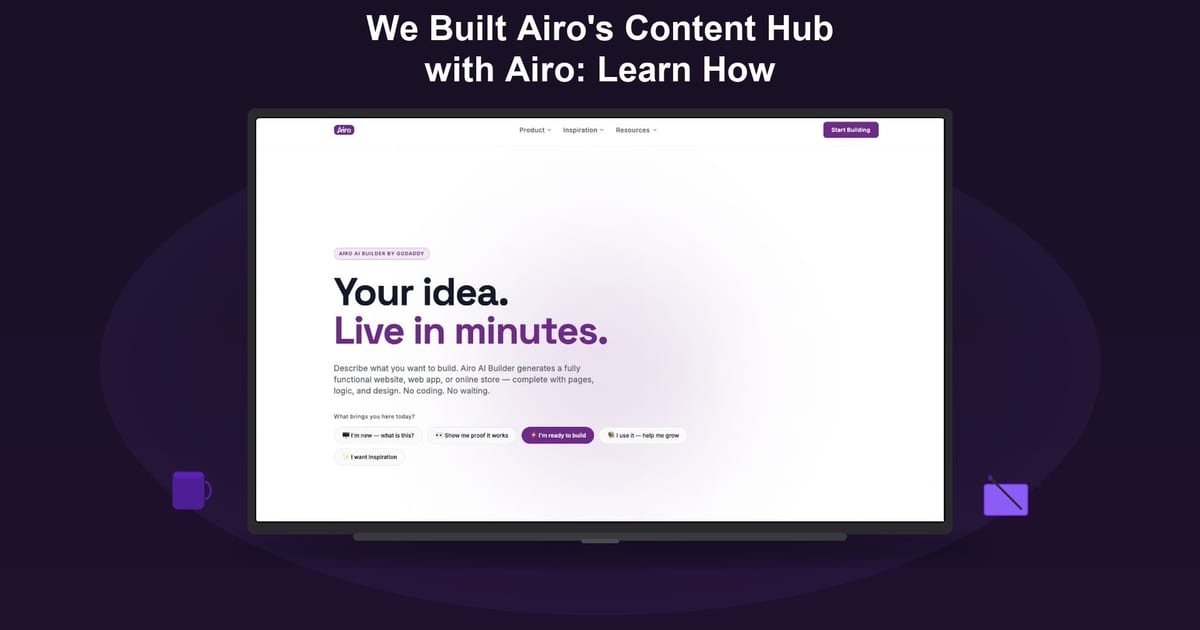
Can you run a real content business on Airo AI Builder, not just a one-page site? We did. The team behind Airo AI Builder built our own content hub inside the product: multiple sections for learning, news, demos, and community, how-to guides in multiple languages, and the SEO structure you would expect from a serious publisher. No separate engineering project. No hand-coded CMS. We describe what we want, iterate in chat, and ship.
We call it Airo for Airo: use the builder to market the builder. It is our proof point that the product can carry a full go-to-market surface, not only a demo app.
Try Airo AI Builder free — 50 credits to start, no credit card required.
In this article
- What we set out to build
- What is live today
- How the site is organized
- A content pipeline that scales
- Built for search and discovery
- Five languages, one hub
- What iteration actually looked like
- What this means for your business
- Frequently asked questions
What we set out to build
We needed more than a landing page. Airo AI Builder helps people launch websites, apps, stores, and brands from a single conversation. Our marketing had to show that depth: product explainers, how-to guides, demos, customer stories, and a place to send builders who want to learn before they sign up.
The goal was simple to state and hard to fake: stand up a multi-page content hub that showcases the product, publishes useful articles, and drives signups — and do all that using Airo AI Builder as the build environment.
What is live today
The hub is a full React site with shared navigation, a design system, and a growing article catalog. What is in place today:
- Multiple sections for product, learning, news, demos, showcase, stories, and community
- A growing library of how-to guides and product content across Learn, News, Features, Demos, Showcase, and Stories
- 5 languages: English, Spanish, French, Arabic, and Portuguese, with localized article files per locale
- A country/region picker so visitors see the right language and locale
- Fast first load: article content is server-rendered so search engines and readers get full HTML on the first byte
The homepage opens with a question we ask every visitor: "What brings you here today?" Intent-based chips route people to the section that matches their need — learn a feature, read news, browse demos, or jump into the community.
How the site is organized
Navigation that matches intent
The header groups links into three buckets so new visitors are not overwhelmed:
- Product — what Airo AI Builder does
- Learn — how-to articles and guides
- Company — news, stories, and community
The footer mirrors the full site map and includes a language and region control so a builder in São Paulo and a builder in Paris both land in an experience that feels local.
A design system, not a one-off page
We locked typography and color early: Space Grotesk for headings, Inter for body copy, and a purple-forward palette that reads modern without fighting the product UI. Every new page inherits the same header, footer, and spacing rules so the hub feels like one product surface, not a pile of unrelated templates.
Article pages built for reading
Each guide gets a clean reading layout: hero image or embedded walkthrough video, sticky sidebar with a signup call-to-action, table of contents that follows you as you scroll, and share actions for the channels where builders actually post (copy link, X, LinkedIn, and more).
Draft articles stay out of search results until we are ready. When something is still in progress, you will see a clear draft state — not a half-finished page indexed by Google.
A content pipeline that scales
Publishing a handful of posts once is a project. Publishing weekly is a system. We built the second.
Every article lives in a central catalog with title, excerpt, author, publish date, section, hero media, and locale. Writers work in Markdown with standard frontmatter. The site loads content through a small API layer so the same article can power the grid on /learn, the full page at /learn/your-slug, and the sitemap search engines crawl.
Hero media has one source of truth. If a post includes a YouTube walkthrough, the video ID lives in the catalog and renders in the hero. We do not duplicate embeds in the body. That keeps pages fast and avoids the "same video twice" problem we hit early and fixed.
For teams thinking about their own hub: you do not need an enterprise CMS on day one. You need consistent metadata, repeatable templates, and one place that lists everything you have published.
Built for search and discovery
A content hub only works if people can find it.
Every page ships with a proper title, meta description, canonical URL, and Open Graph tags for social previews. Article pages add structured data — Article, HowTo, or FAQPage where it fits — so search and AI assistants can understand what each guide teaches.
A generated sitemap merges static routes with every published article. We also publish /llms.txt with business identity context for LLM crawlers. That is part of our AEO bet: when someone asks an AI "how do I add booking with Airo AI Builder," the answer should be able to point at a page we control.
Five languages, one hub
Localization was not a phase-two nice-to-have. Airo AI Builder ships globally; our content hub should too.
URL structure visitors can trust
Each supported language gets a URL prefix (/es/, /fr/, /ar/, /pt/). Arabic pages render right-to-left. Dates and UI strings follow the active locale.
Content, not just chrome
We did not only translate buttons. Articles ship in all five languages — separate Markdown files per locale, with catalog entries filtered so /fr/learn shows French articles, not a mix of French headings and English cards.
Portuguese content uses Brazilian Portuguese with local context (currency, city references) where it helps readers see themselves in the examples.
Region picker that remembers your choice
The footer lets visitors choose country and language from 51 markets. When you pick Brazil, the site sets a preference cookie and routes you to /pt/ with Brazilian context. When you pick France, you get /fr/ — not another country that happens to share the language.
Getting that right took iteration (more on that below). The lesson for builders: locale is product behavior, not a translation export.
What iteration actually looked like
This build was not a straight line. A few things we learned building in public on our own product:
- Production is different from preview. An SSR prefetch bug once shipped a blank shell to the live site because async data was not awaited on the server. The fix was one line. The reminder was valuable: always verify the published build, not only the dev preview.
- Conventions beat cleverness. Hero image paths, quote style in metadata, and "one video embed per article" are now documented rules so the next article does not break the last one.
- Small UX bugs compound trust. Footer showing the wrong country after language selection, English cards leaking into French listings, duplicate videos on a page — each eroded the "this is a real business" feeling. We chased them down because our customers would notice the same things on their sites.
- Document for the next session. We added agent skills and writer guides so future contributors (human or AI) can add a locale, publish an article, or attach hero images without re-learning the stack from scratch.
That operational layer is part of the story. Airo AI Builder is not only for the first publish. It is for the tenth article, the second language, and the Tuesday update when something breaks.
What this means for your business
You do not need to be GoDaddy to run this play.
If you are a coach, agency, SaaS founder, or local business with expertise to share, the same architecture applies:
- Start with intent. What is the one job your visitor is trying to do? Route them there in one click.
- Publish in a system. Catalog your posts, reuse layouts, keep hero media consistent.
- Plan for search early. Titles, descriptions, structured data, and a sitemap are not extras. They are how new customers find you.
- Go multilingual when your audience does. Even one extra language can unlock a market your competitors ignore.
- Iterate like an operator. Fix the footer, fix the locale, fix the duplicate embed. Trust lives in details.
We built our hub to prove Airo AI Builder can be the home base for your content motion — articles, demos, community, and signup in one flow.
Your turn: describe the hub you want. Start with the homepage and one article section. Ship the first three guides. Add language when you are ready.
Start building your content hub — 50 free AI credits.
Frequently asked questions
What is "Airo for Airo"?
Airo for Airo is our name for dogfooding: using Airo AI Builder to build and market Airo AI Builder. The content hub is the first major proof point — a live site we run on the same product we ship to customers.
How much content is on the hub?
The library is live and growing. We are adding how-to guides, product updates, and stories on a regular cadence, with new articles localized across English, Spanish, French, Arabic, and Portuguese as they ship.
Can I build a similar multi-page site?
Yes. Airo AI Builder supports multi-page sites, article-style content, embedded video, custom navigation, and publish flows without code. Start with the section structure you need (for example, Home + Learn + Contact) and grow from there.
Does the hub support multiple languages?
Yes. The Airo AI Builder content hub supports English, Spanish, French, Arabic (RTL), and Portuguese, with locale-specific URLs and a region picker for 51 markets.
Do I need a developer to maintain a content site on Airo AI Builder?
No. Writers can work in Markdown, use chat to draft and revise pages, and publish through the same conversational builder. Engineering patterns (catalog, SSR, structured data) are optional accelerators for larger teams, not a requirement to start.
Where can I read the how-to guides?
Browse the Learn section on the Airo AI Builder content hub for step-by-step guides on booking, logos, prompts, product updates, and more. New articles ship on a regular cadence as part of the Airo for Airo motion.