Airo AI Builder Product Update: April 2026 | What's New
TL;DR
- Arabic (RTL) support shipped with full right-to-left localization, ahead of close competitors
- AI Skill System lets you add AI-powered features to your apps using your own API keys
- Image search overhaul with hybrid search and better relevance scoring
- Streaming stability improved dramatically (freeze reports dropped from 37% to 7%)
- 166 total changes shipped this month
Arabic (RTL) Support
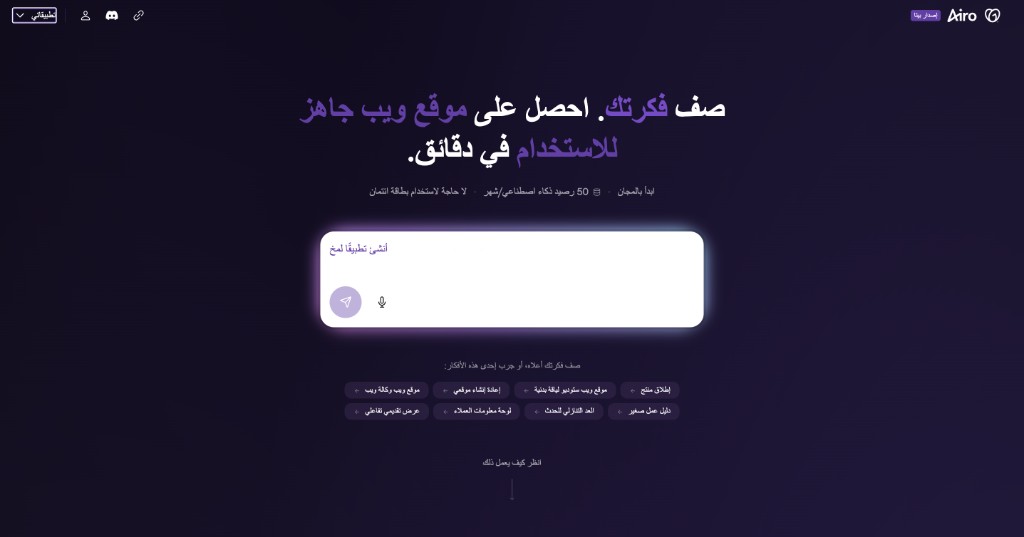
Airo AI Builder now fully supports Arabic (ar-AE) with right-to-left layout and localization. This update moves the product to a new i18n architecture, and it puts us ahead of close competitors who don’t offer RTL support today.
If your audience reads right-to-left, your site now renders correctly out of the box. No manual layout adjustments needed.
AI Skill System
You can now add AI-powered features to your apps using Vercel’s AI SDK. Store your own API keys in secrets, and the builder gives your app access to AI capabilities like chat, summarization, or content generation. This is the first step toward letting every app you build have its own AI layer.
Smarter Image Search
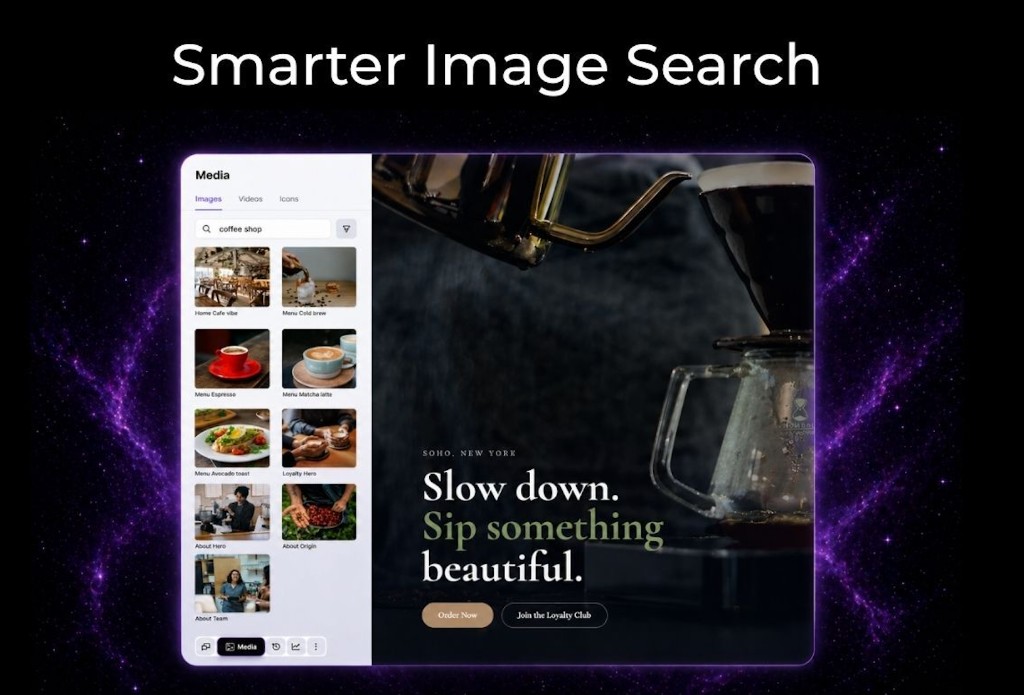
Image search got a full relevance overhaul. It now uses hybrid search (combining vector and keyword approaches) powered by Haiku 4.5 for relevance scoring. Results are noticeably more relevant to what you’re actually looking for.
Cleaner Conversations
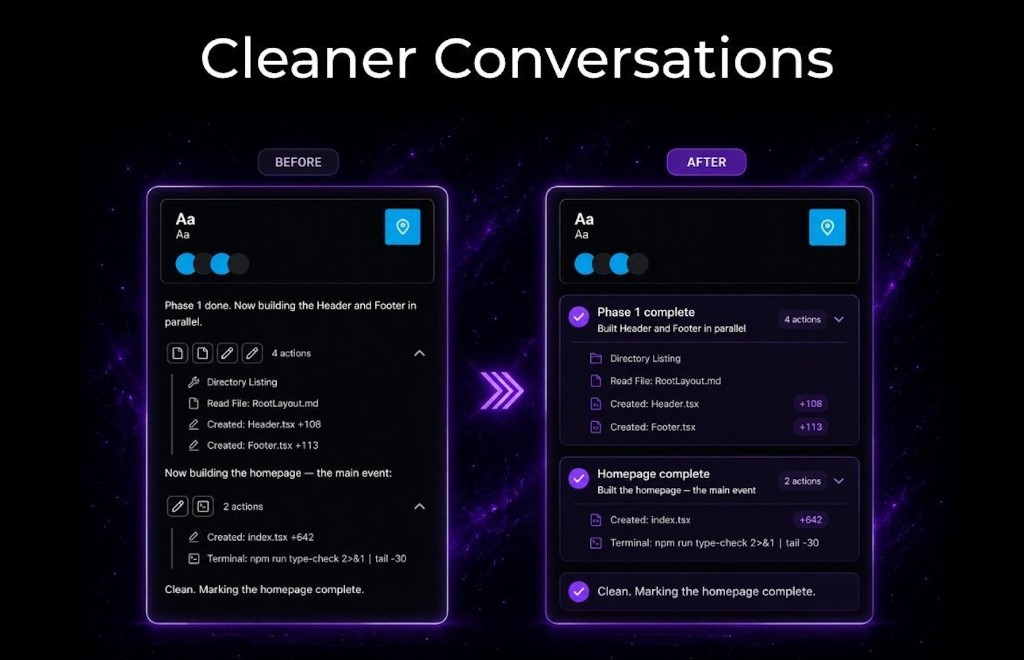
When the AI agent performs many sequential operations (file edits, installs, builds), those actions are now visually grouped and collapsible in the chat UI. You see a clean summary instead of a wall of individual messages.
Settings Panel Redesign
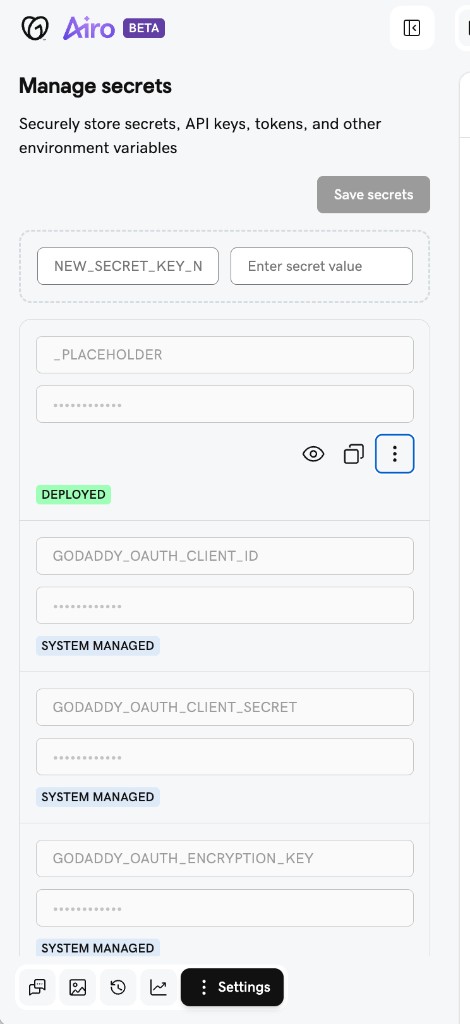
The Settings view moved to the left pane, putting project configuration alongside the file tree and chat for faster access. Secrets editing got a UX overhaul with explicit row-level Save/Cancel actions replacing the old toggle.
Interactive Project Planner
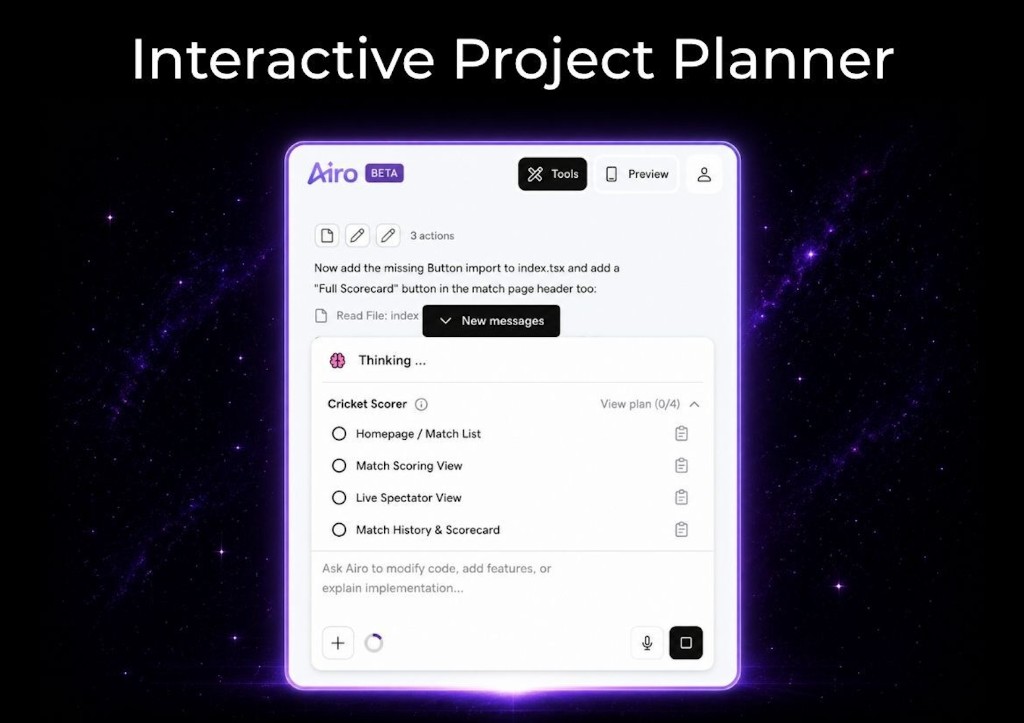
The plan to-do list UI and next best actions moved closer to where you interact with the chat input, combining “what’s done” with “what to do next.” The to-do list is now interactive, and the agent automatically switches between completed and incomplete lists as it works through tasks.
First Publish Celebration
A new modal appears on your first publish to celebrate the milestone and guide you on next steps. Small moment, but it marks the transition from building to live.
Better and Faster Rebuilds
Two improvements to the rebuild flow:
- Pre-analysis: The agent now analyzes homepage assets during scrape and classifies the site type using the actual homepage screenshot, improving template selection accuracy.
- Speed: Adaptive polling replaced the fixed 2-second interval and a merge-pass hang was fixed, trimming tail-latency on rebuilds.
Multi-Step Feedback Dialog
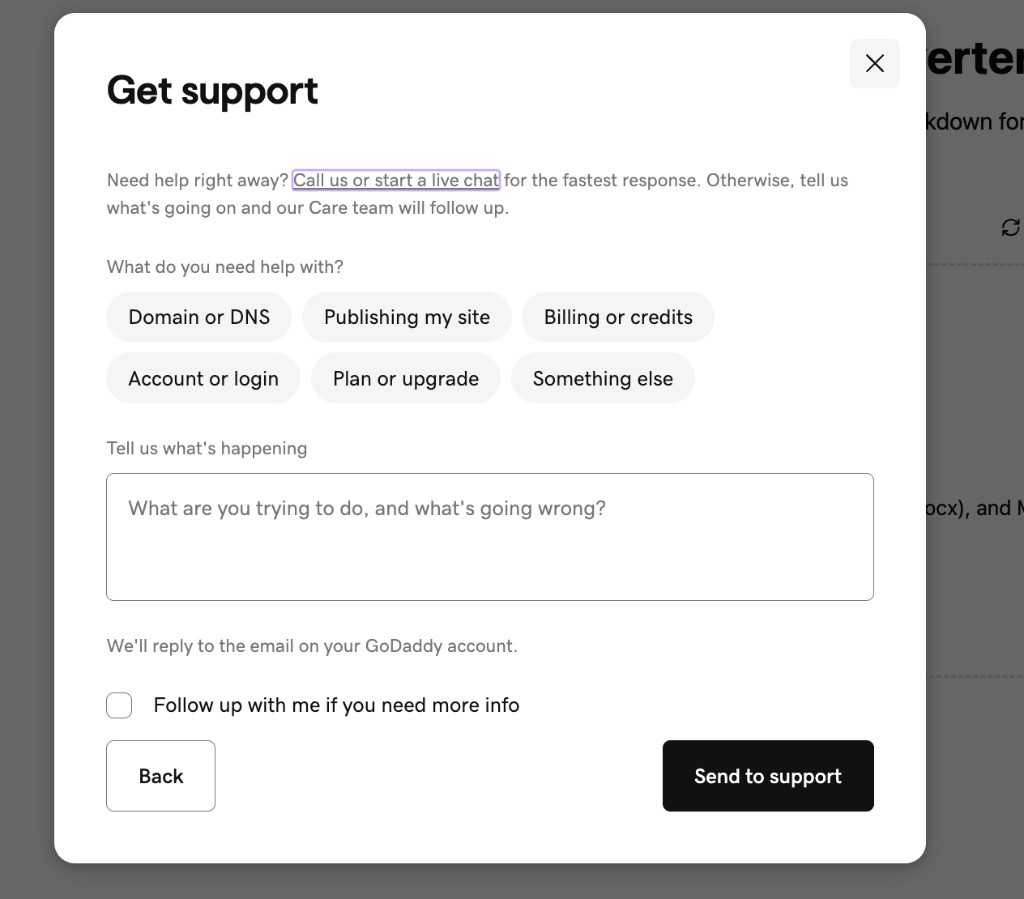
A new multi-step feedback dialog separates bug reports from care support requests and NPS feedback. You get routed to the right path based on what you need help with.
Support Message Visibility
When a support agent makes changes to your app through CRM, those messages are now clearly differentiated in your chat. You can see what was updated and learn from the prompts used.
Credits Stay in Your Pocket
Certain actions no longer cost credits. Publishing, domain setup, error fixes, and other system operations are now completed for free. Your credits are reserved for the creative work that matters.

Try It Yourself
Describe your idea in a few sentences and Airo AI Builder generates a fully working app: layout, copy, images, database, and all. Edit anything with conversation, publish when you’re ready.